How a call goes through Vaubaan
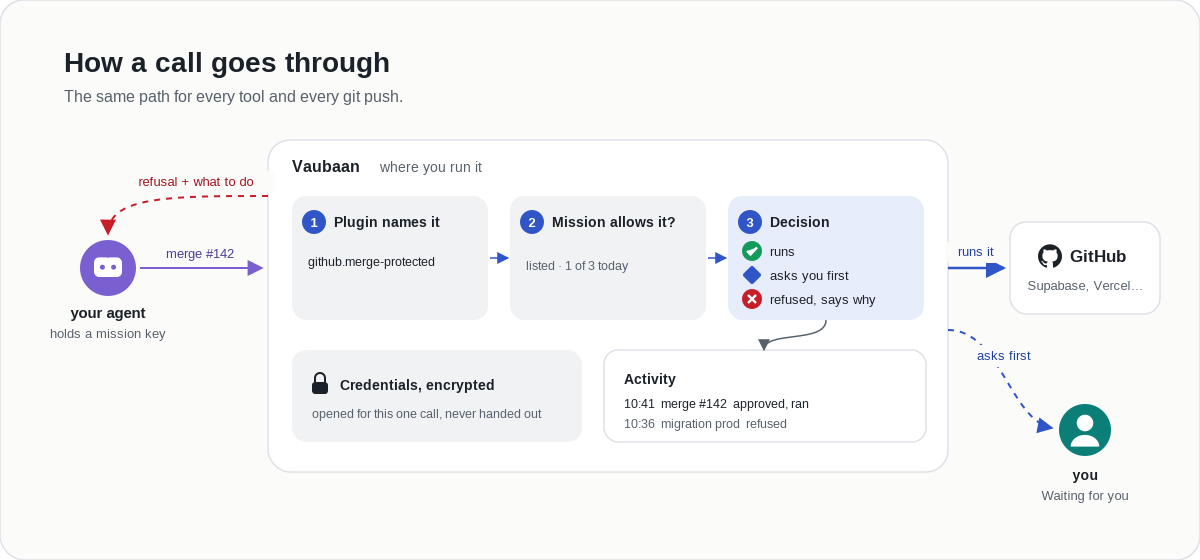
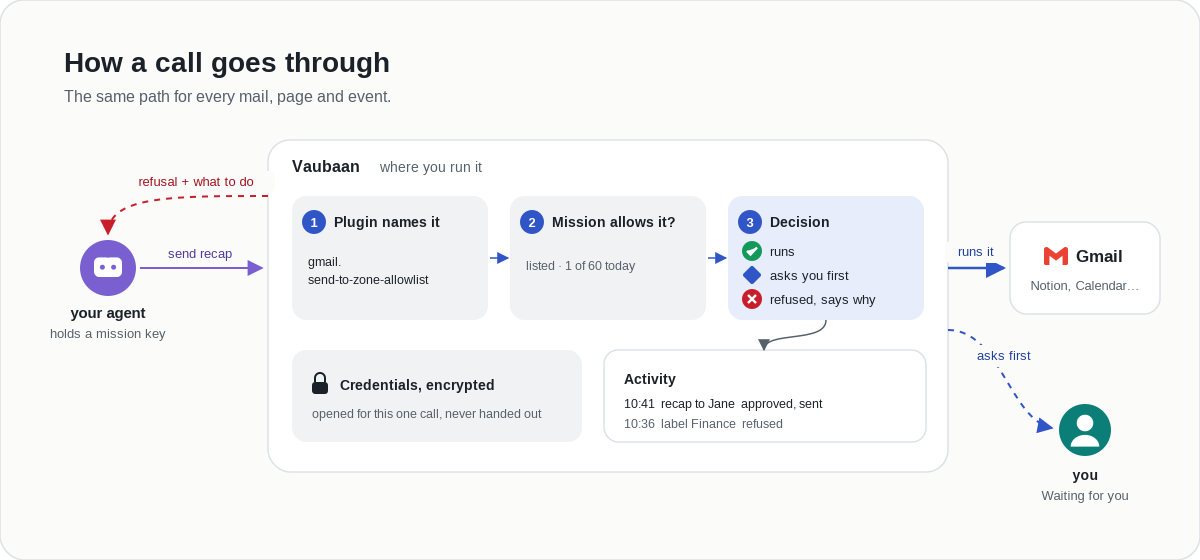
Your agent calls a tool with a mission key; Vaubaan names the permission the call needs, checks it against the mission and its limits, then runs it with a credential the agent never sees, asks you first, or refuses it with a reason the agent can read.
GitHub and Supabase: GitHub has run real tools on a live instance, Supabase its discovery only (known limitations).
Gmail, Notion and Google Calendar: modelled from their public documentation and tested against doubles; none of them has run against the real service yet (known limitations).
The path of a call
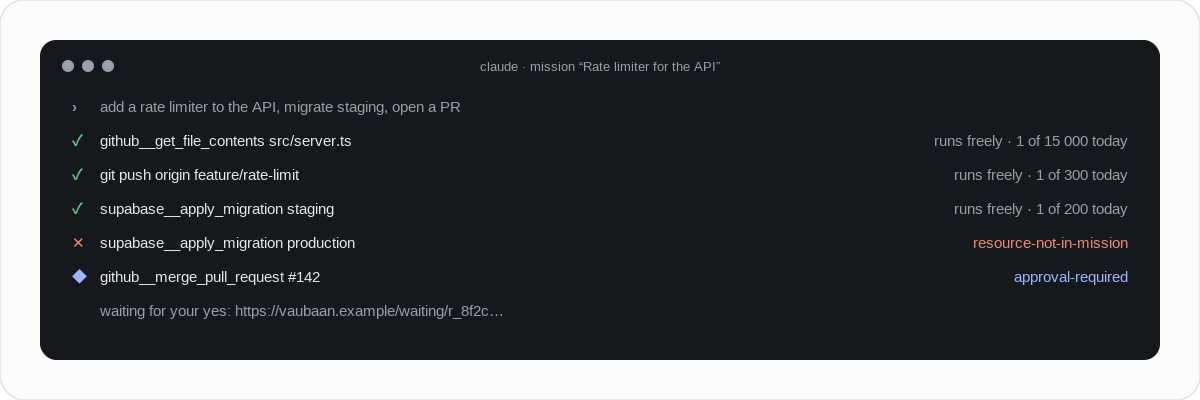
The same path for every tool and every git push. The service’s plugin turns the call into the permissions it touches, from the call’s own arguments: a push to feature/rate-limit and a merge into main are two permissions. Vaubaan decides at once — the call runs, waits for your yes, or is refused — and records it with the permissions it needed and whose key made it.
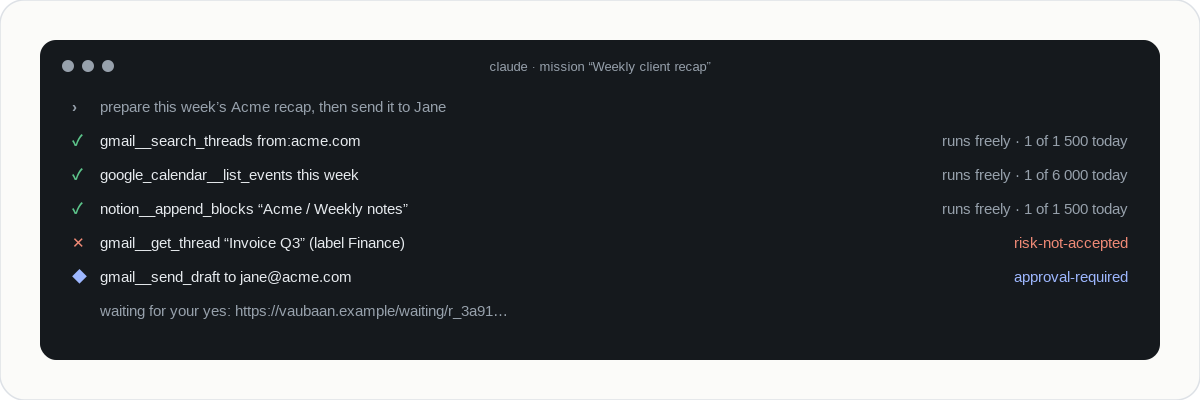
The same path for every mail, page and event. The service’s plugin turns the call into the permissions it touches, from the call’s own arguments: a mail to yourself and a mail to a client are two permissions. Vaubaan decides at once — the call runs, waits for your yes, or is refused — and records it with the permissions it needed and whose key made it.
One question for every permission
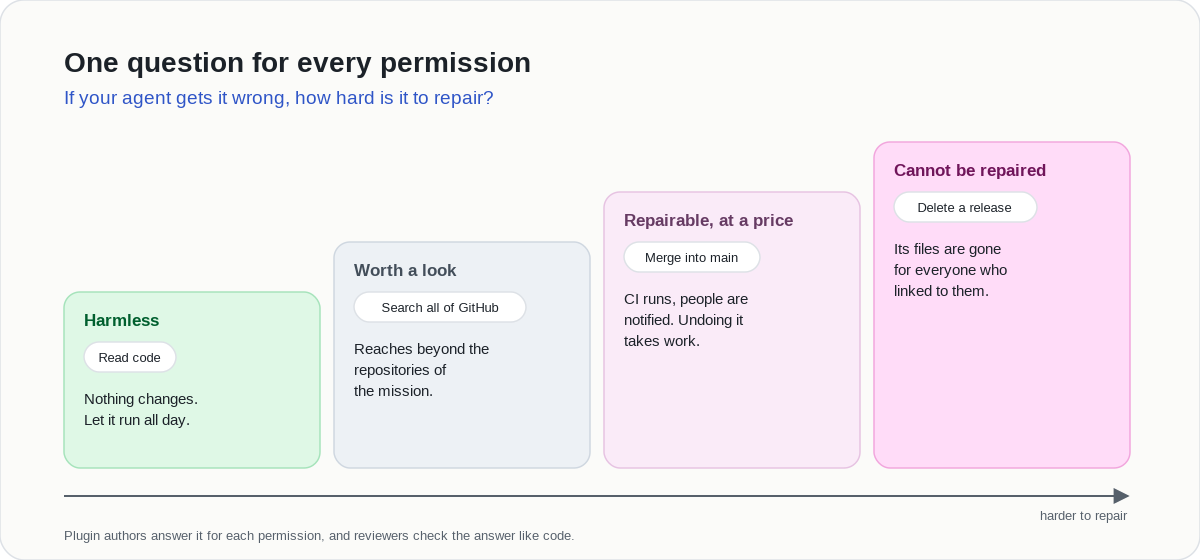
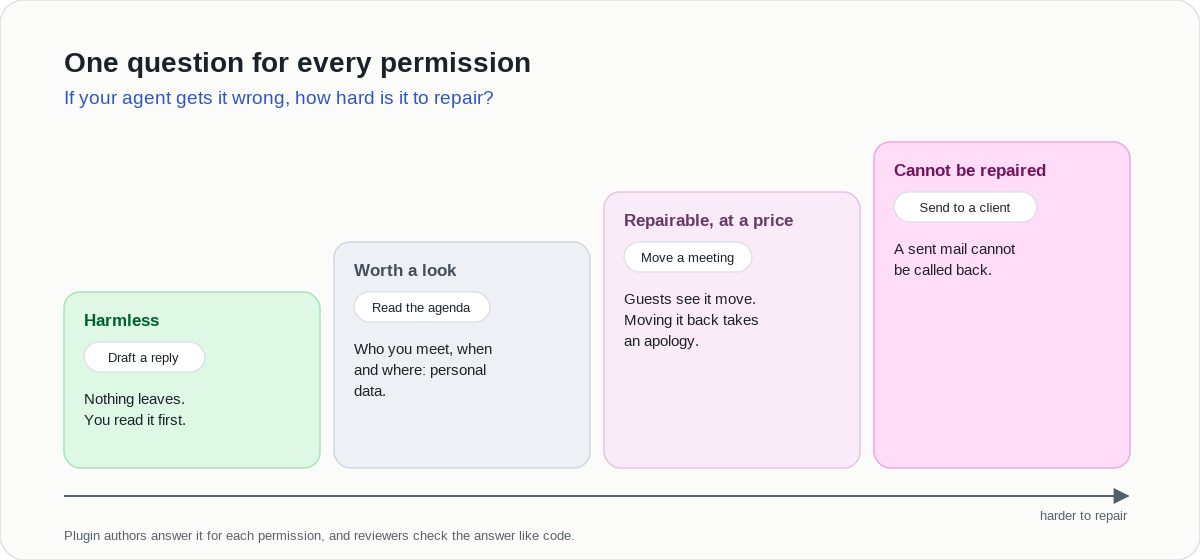
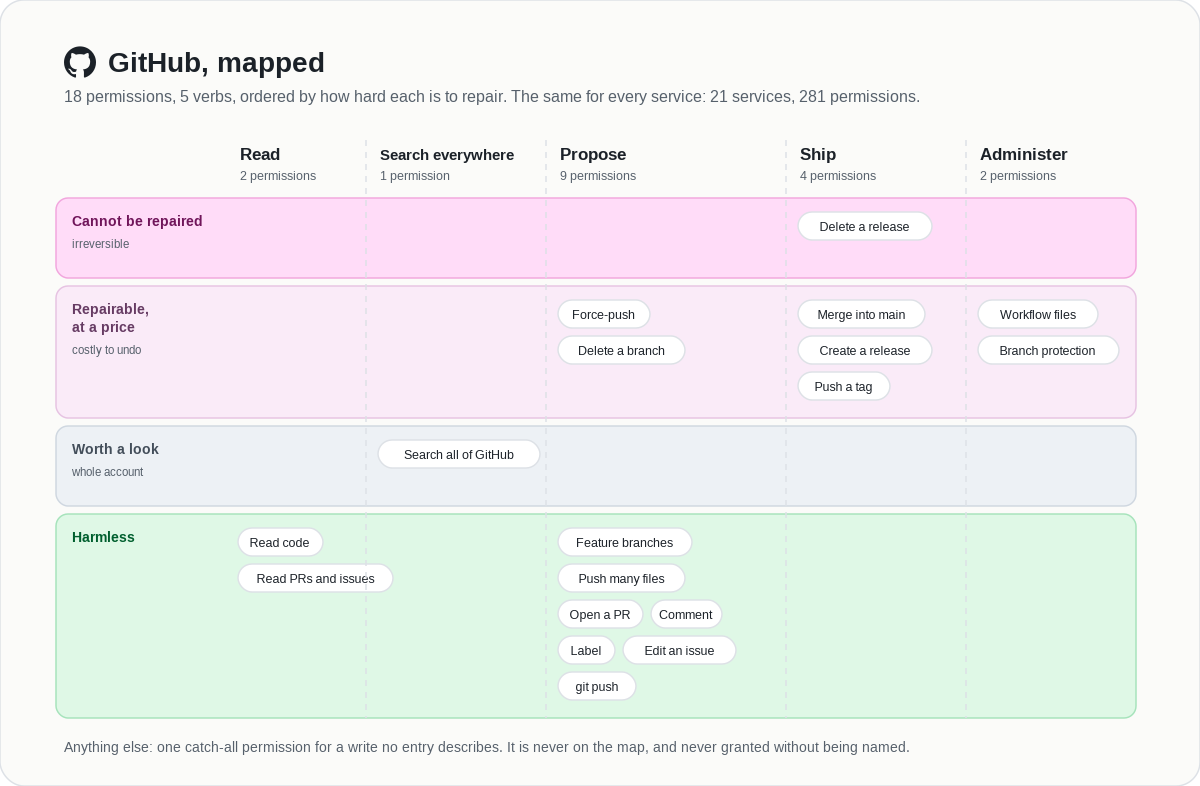
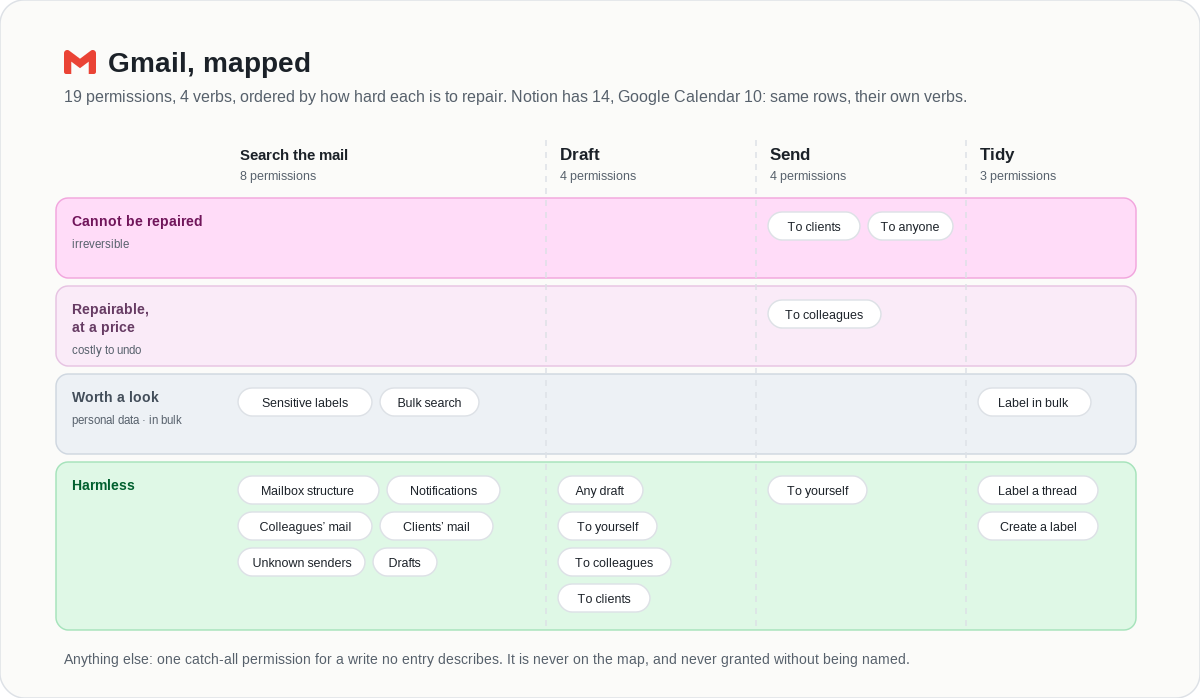
If your agent gets it wrong, how hard is it to repair? Each permission of a service’s catalog answers it with five facts — can it be undone, how far does it reach, what data does it touch, what can it cost, who sees it — and lands on one of four rows: Harmless, Worth a look, Repairable at a price, Cannot be repaired. The plugin’s author writes the facts; reviewers read them like code.
Each service modelled, then folded into verbs
Supabase, for instance: a project carries the environment, so applying a migration is one permission per environment, and writing rows in bulk has no production form at all. The permissions then fold into a few verbs a person ticks.
Gmail, for instance: Vaubaan adds what Gmail does not know — who wrote a mail and who receives it, read from your domains and your client list — so sending is four permissions, one per kind of recipient, each on its own row. The permissions then fold into a few verbs a person ticks.
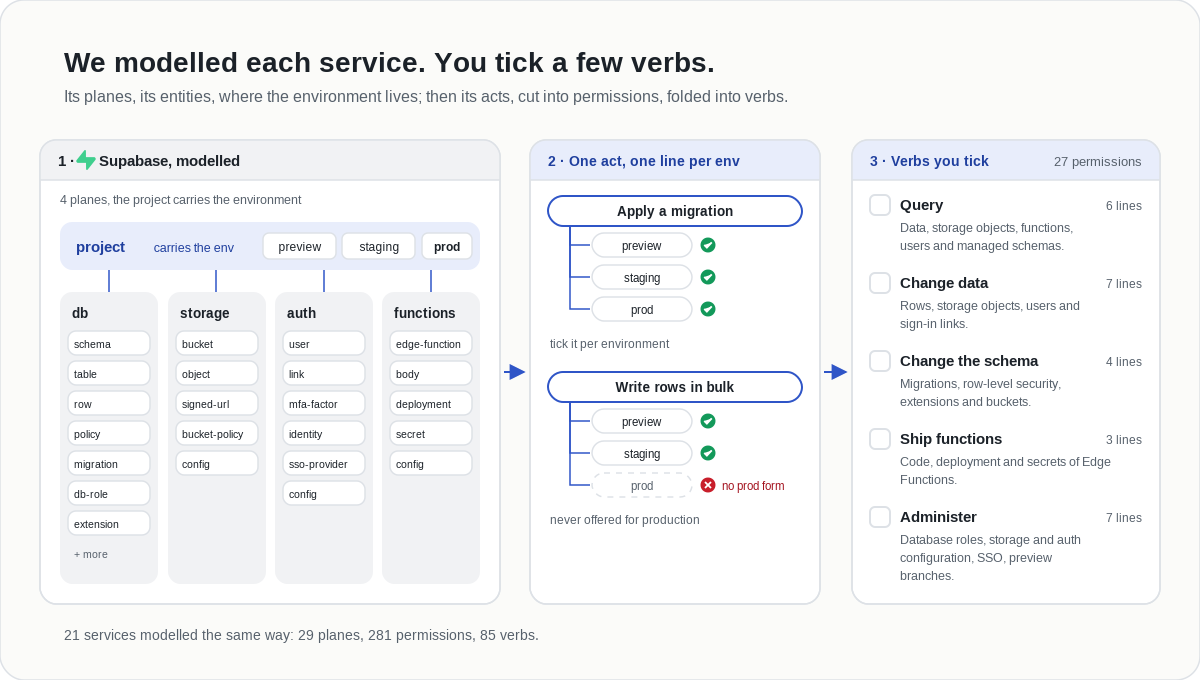
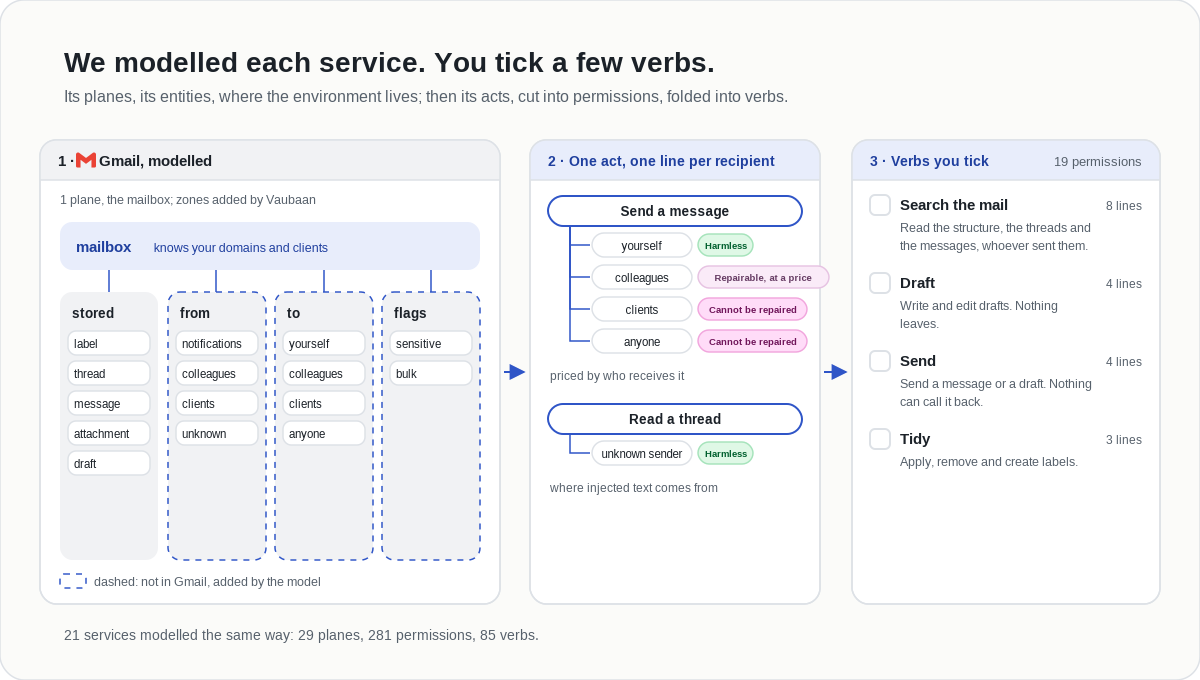
You tick verbs; the trust level writes each line
Careful, Trusting or Autonomous: the trust level of a verb sets each permission’s gate from its row — runs freely, asks you first, or left out — and multiplies its daily limit by one, three or ten. The mission holds every line explicitly, and each stays editable.
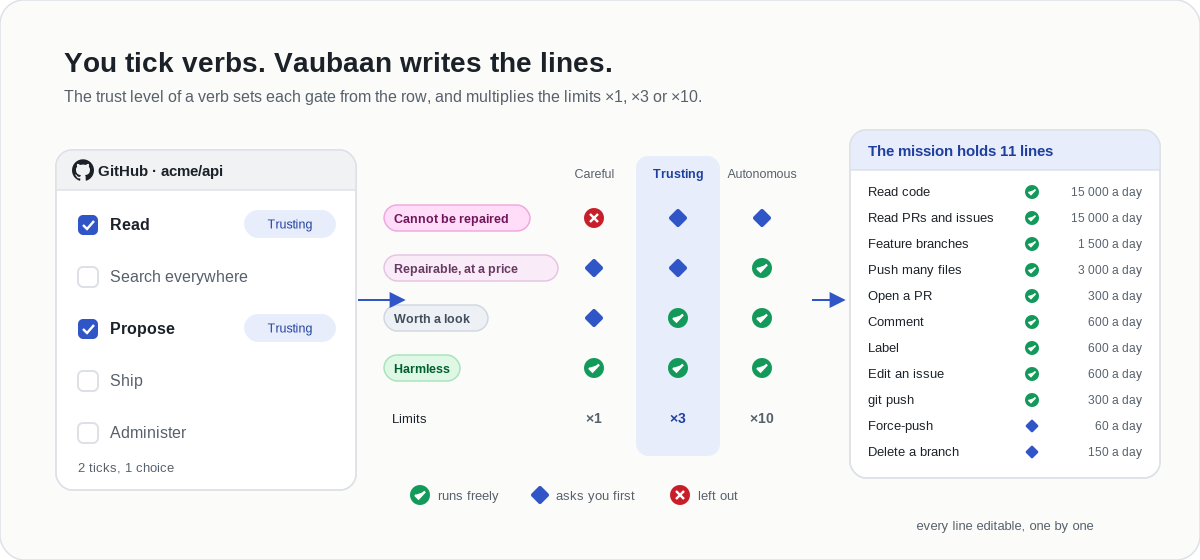
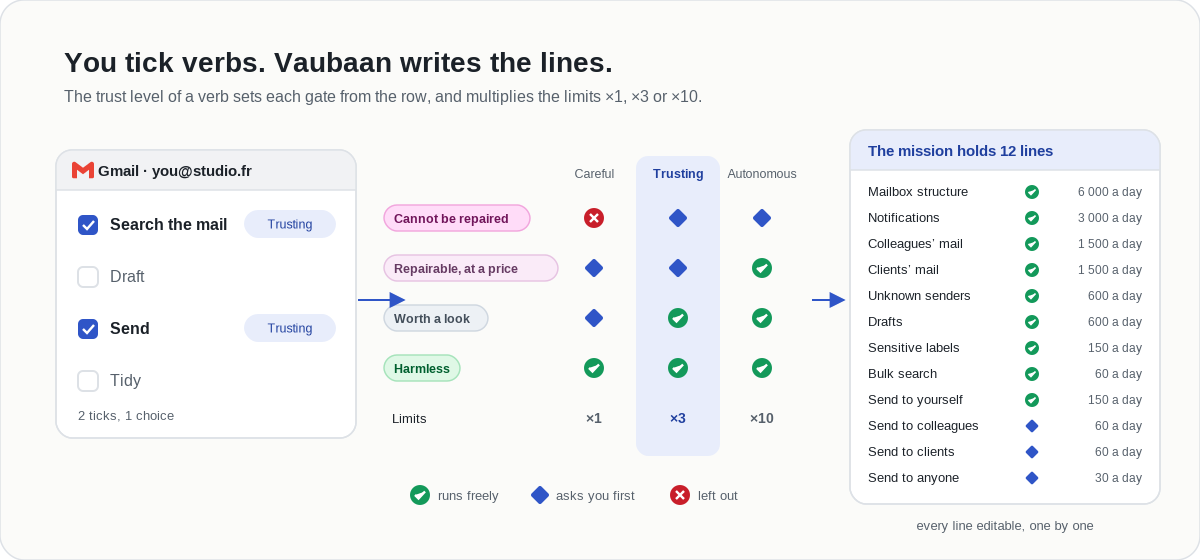
Every permission of a service, on one page
Each service has a page on this site, generated from its catalog: how it is modelled, its verbs, the map of its permissions by row, a few real calls and how to connect an account.
Ask me first
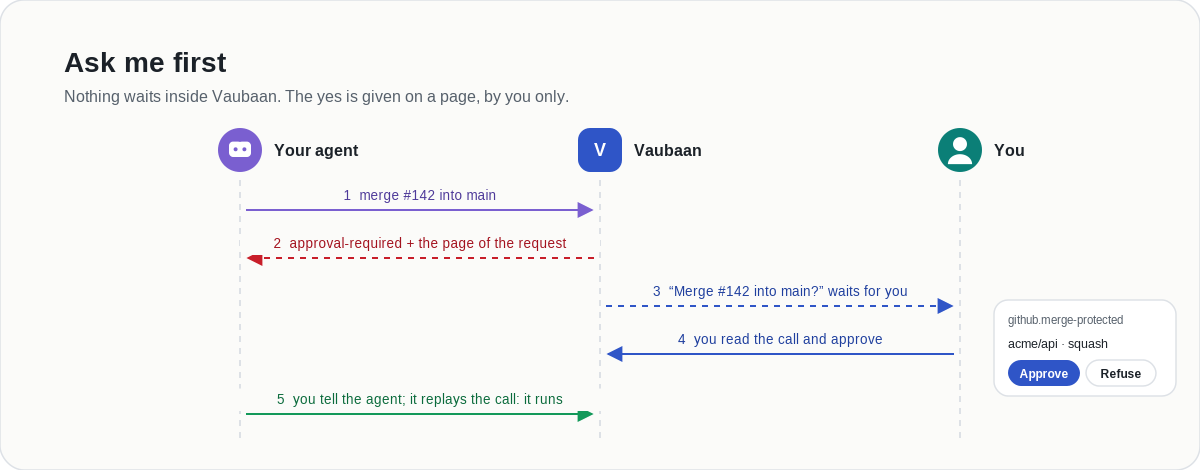
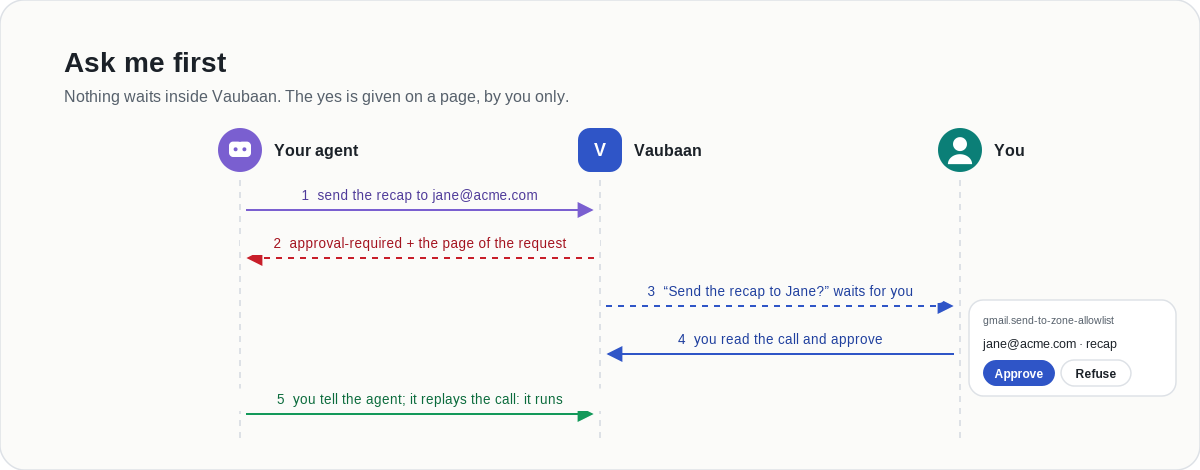
Nothing waits inside Vaubaan. A call that needs your yes is refused with approval-required and the address of the request; you read the exact call and approve it, and the approval is bound to that mission, permission, tool and arguments, used once. When you tell the agent, it replays the call and it runs. An agent learning your answer on its own is planned.
What your agent sees
Tool calls that run, and refusals with a code it can act on — resource-not-in-mission, risk-not-accepted, budget-exhausted, approval-required — with the address of the request when your yes is needed. Any MCP client that sends a bearer header works, such as Claude Code or Cursor.
Does it slow my agent?
One more hop, to an instance you run: each call is decided and run, or refused, at once, and no call is held open waiting for a person. A measured figure per release is planned.
This page as Markdown: /how-it-works.md